
Creating Your First Detail Page #
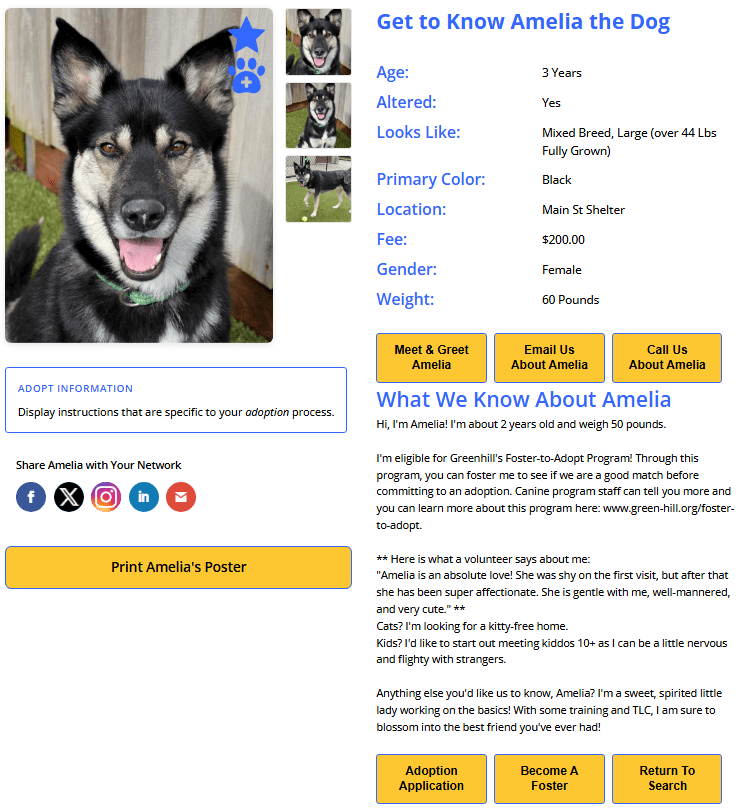
The detail page displays a full profile for a single animal when a visitor clicks on a search result. This guide walks you through setting it up.
How Search and Detail Pages Work Together #
When a visitor clicks on an animal in your search results, PetMatchPro passes the animal’s ID to your detail page via the URL. The detail page then fetches and displays that animal’s full information.
This means you need two pages:
- A search page with
[pmp-search](see Creating Your First Search Page) - A detail page with
[pmp-details]
Step-by-Step Setup #
1. Create a New Page #
- In your WordPress admin, go to Pages > Add New.
- Give your page a title, such as “Animal Details” or “Pet Profile”.
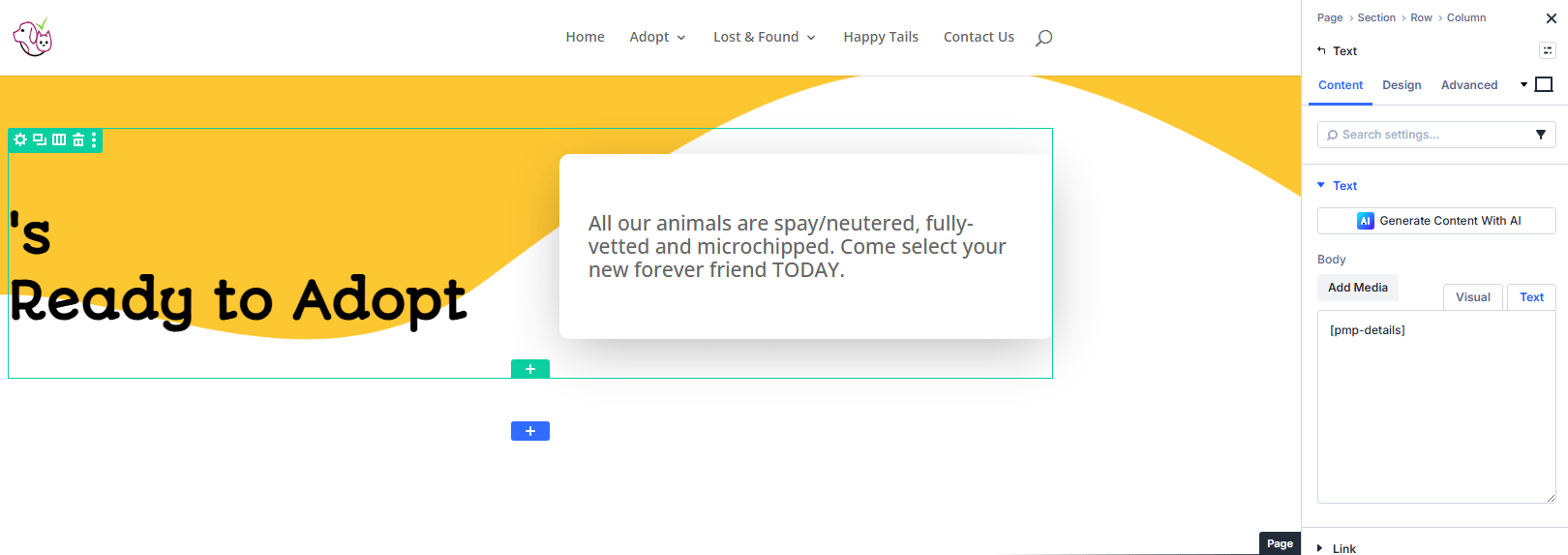
2. Add the Details Shortcode #
Add the following shortcode to the page content:
[pmp-details]
3. Publish the Page #
Click Publish.
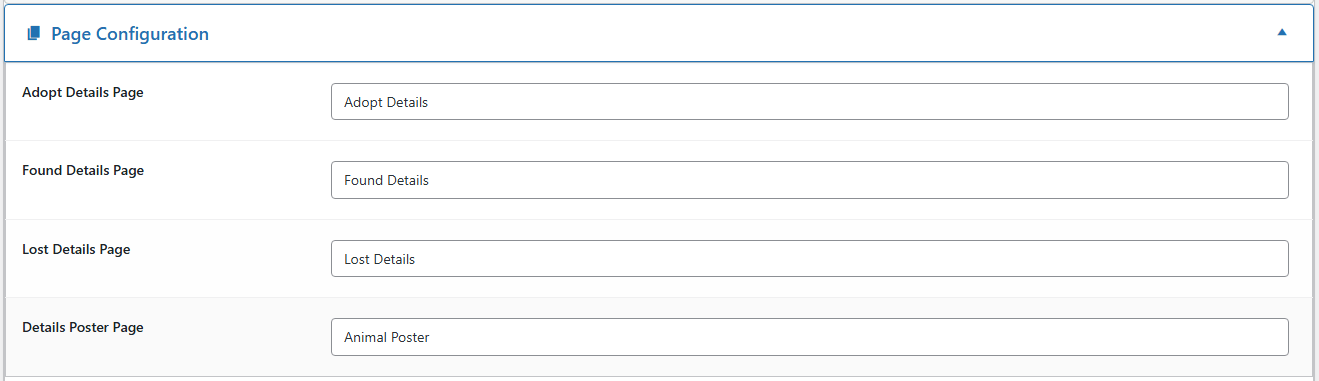
4. Configure the Detail Page in Settings #
Tell PetMatchPro which page to use for animal details:
- Go to PetMatchPro > General Options.
- Find the Details Page setting for your active method type (e.g., “Adopt Details Page”).
- Select the page you just created from the dropdown.
- Click Apply Changes.
5. Test the Connection #
- Visit your search page.
- Click on any animal.
- You should be taken to your detail page showing that animal’s full profile.
Basic Customization #
Choose Which Fields to Display #
[pmp-details details="Name,Breed,Sex,Age,Description,Photo"]
Select a Detail Template #
If you have a Junior or Preferred license:
[pmp-details template="adopt-conversion"]
Requires Junior license or higher.
Set the Thumbnail Limit #
Show additional photos as clickable thumbnails. The thumbs parameter takes a number — the maximum number of thumbnails to display (shared with any video thumbnails on the same animal). The plugin caps this at 25.
[pmp-details thumbs="6"]
Requires Junior license or higher.
Enable the Print Poster #
Allow visitors to print a flyer for the animal:
[pmp-details poster="enable"]
Example Shortcodes #
Basic detail page:
[pmp-details]
Detail page with thumbnails and poster:
[pmp-details thumbs="6" poster="enable"]
Detail page with social sharing (Junior+):
[pmp-details social="enable" thumbs="6"]
Next Steps #
- [pmp-details] Reference — Full parameter reference
- Detail Templates Gallery — Browse available detail templates
- Common Shortcode Recipes — More shortcode examples


