
If your search page shows no animals (blank area, no error message, or a “no results” message), work through this checklist to identify the cause.
Debug Checklist #
1. Is the API Connected? #
- Go to PetMatchPro > General Options.
- Verify an Integration Partner is selected.
- Verify the API Key is entered (and Organization ID for RescueGroups).
- Use the API Diagnostics tool in the Tools tab to test the connection.
2. Are There Animals in Your Shelter System? #
- Log into your shelter management system (PetPoint, AnimalsFirst, or RescueGroups).
- Verify that there are active animal records for the method type you’re searching.
- For
type="adopt", check that animals have an “available” or “adoptable” status.
3. Is the Shortcode Correct? #
- Edit the page and verify the shortcode is properly formatted:
[pmp-search] - Check for typos — the shortcode is
[pmp-search], not[pmp_search]or[pmpsearch]. - If using parameters, verify they’re properly formatted:
[pmp-search type="adopt"] - Make sure the shortcode isn’t wrapped in extra HTML tags or formatted as a code block.
4. Is the Page Published? #
- Check that the page is published (not in draft or pending review).
- View the page while logged out or in an incognito window to see what visitors see.
5. Are Filters Too Restrictive? #
- If using
species="...", verify the species name matches animals in your system. - If using
exclude="...", check that you’re not excluding everything. - Try the shortcode with no parameters to see all animals:
[pmp-search]
6. Is the Method Type Valid? #
- Check the
typeparameter matches your partner and license:- RescueGroups: Only
adoptis supported lost,found,list: Require Junior licensepreferred: Requires Preferred license, AnimalsFirst only
- RescueGroups: Only
7. Is Caching the Problem? #
- Clear your browser cache and hard refresh (Ctrl+Shift+R).
- Clear any server-side cache (OPcache, LiteSpeed, CDN).
- Try viewing the page in an incognito/private window.
See Stale Content / Cache Issues for detailed cache clearing instructions.
8. Check the Browser Console #
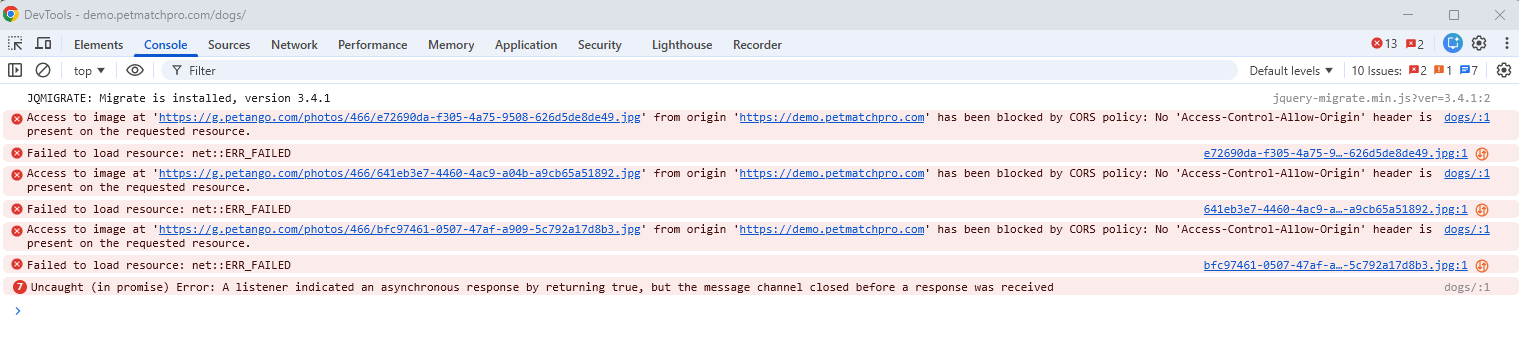
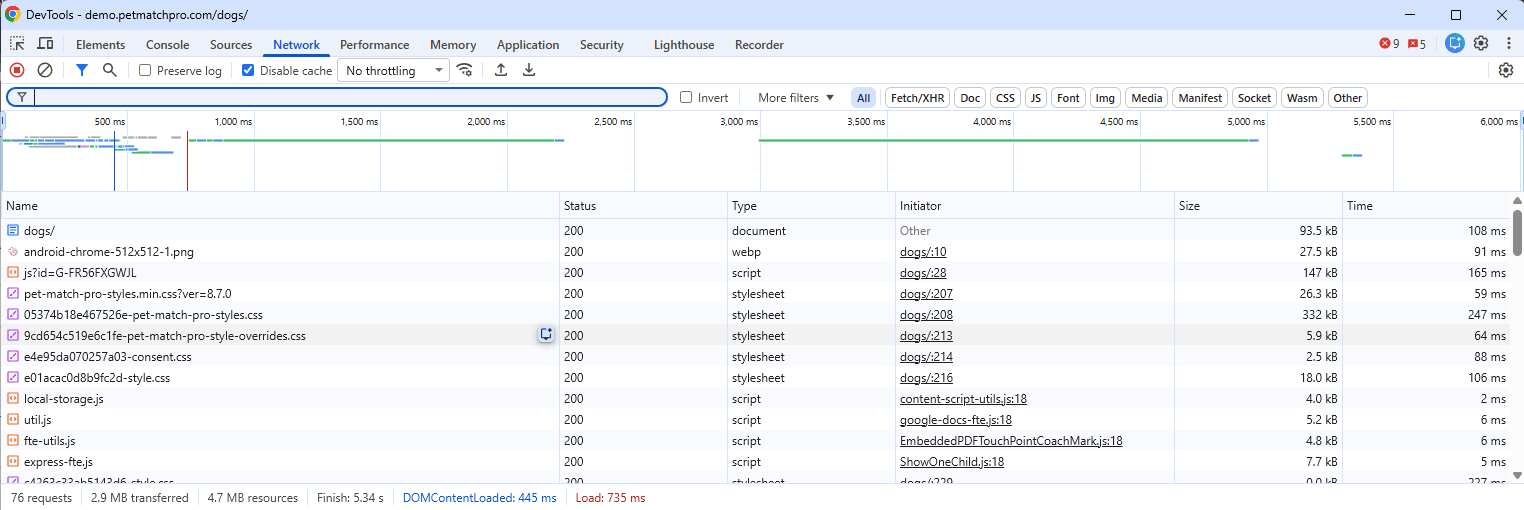
- Right-click on your search page and select Inspect (or press F12).
- Click the Console tab.
- Look for red error messages — JavaScript errors can prevent PetMatchPro from rendering.
- Check the Network tab for failed API requests (red entries).
9. Check for Plugin Conflicts #
- Temporarily deactivate other plugins to see if there’s a conflict.
- Switch to a default WordPress theme (like Twenty Twenty-Four) to rule out theme conflicts.
- Re-enable plugins one at a time to identify the conflicting one.
A Single Animal’s Detail Page Shows “No Longer Available” #
This is expected when one animal has left your shelter system. PetMatchPro detects that the animal is gone and handles the page automatically so neither visitors nor search engines are left on a broken listing:
- For an adopt animal that a visitor viewed in the last 30 days, the page redirects to your configured adoption celebration page (“Found a loving home!”).
- Every other case shows a “No Longer Available” message in place of the animal. This includes adopt animals with no recent view and all lost, found, list, and preferred animals. The celebration redirect is adopt-only.
- The missing page returns HTTP 404 to search engines, or HTTP 410 Gone when that method type’s robots noindex setting is on, so Google drops the old URL.
On an unavailable animal, PetMatchPro adds the body classes pmp-animal-unavailable and pmp-animal-unavailable-{method} (for example pmp-animal-unavailable-adopt) to the page. The [pmp-detail] shortcode already outputs nothing for a missing animal, but any surrounding page content you added yourself (such as a hero heading like “Ready to Adopt”) is not the plugin’s to remove. Use these body classes to hide that content with your own CSS, for example:
body.pmp-animal-unavailable .my-adopt-hero {
    display: none;
}
Still Not Working? #
If you’ve worked through all steps above and animals still don’t display, contact PetMatchPro support with the following information:
- Your integration partner (PetPoint, AnimalsFirst, or RescueGroups)
- The exact shortcode on your page
- Any error messages displayed
- Browser console errors (screenshots)
Next Steps #
- Common Error Messages — Understand error messages
- API Connection Issues — Fix connection problems
- How to Contact Support — Get help


