
Custom Labels Guide #
PetMatchPro lets you rename the labels that appear next to animal data fields in your search results and detail pages. This is useful when your organization uses different terminology than the default field names.
Accessing Label Settings #
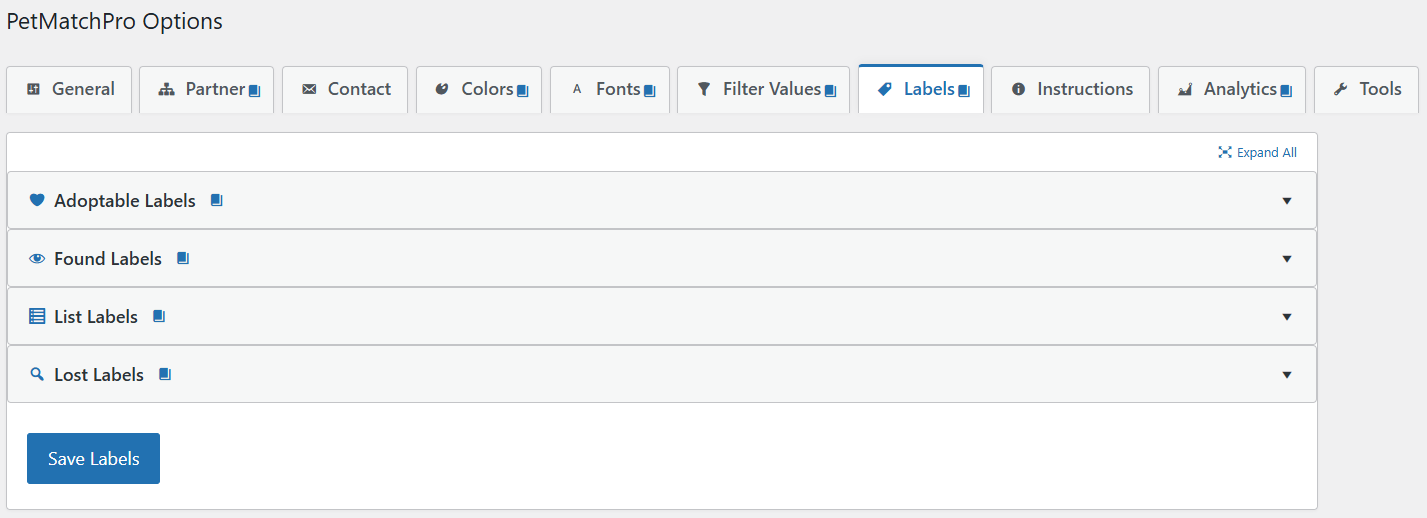
- Go to PetMatchPro > Labels tab in your admin settings.
- Labels are organized into accordion sections by method type (Adopt, Found, Lost, List, Preferred).
- Expand the section for the method type you want to customize.
What You Can Customize #
PetMatchPro provides several categories of labels you can rename:
| Label Type | Prefix | Where It Appears |
|---|---|---|
| Detail Labels | label_detail_ | Next to fields on the animal detail page |
| Search Labels | label_search_ | Next to fields in search result cards |
| Search Filter Labels | label_search_filter_ | Above filter dropdown menus |
| Search Sort Labels | label_search_sort_ | Sort dropdown options |
| Search Order Labels | label_search_order_ | Sort order options |
| Search Result Labels | label_search_result_ | Search result area headings |
How to Change a Label #
- Go to the Labels tab.
- Expand the method type section (e.g., Adopt Labels).
- Find the label you want to change.
- Enter your preferred text in the field.
- Click Save Labels.
Common Label Changes #
| Default Label | Common Alternatives |
|---|---|
| Breed | Breed/Mix, Primary Breed |
| Sex | Gender |
| Altered | Spayed/Neutered, Fixed |
| Species | Animal Type, Pet Type |
| Age | Approximate Age, Est. Age |
| Weight | Approximate Weight |
Method-Type-Specific Labels #
Labels are configured per method type. This means you can have different labels for adoption listings versus lost/found listings. For example:
- Adopt: “Adoption Fee” for the fee field
- Lost: “Last Seen Date” for the date field
- Found: “Found Date” for the date field
Label Font Size #
In addition to changing label text, Junior+ users can control the font size of labels across search and detail pages. The Fonts tab provides dropdown controls for:
- Search Result Labels – Field labels in search result cards
- Detail Field Labels – Attribute labels on detail pages (e.g., “Breed:”, “Age:”)
Each offers Small, Default, Large, and Extra Large presets. See Font Size Customization for the full guide.
Label Availability by License #
The Labels tab is visible on all license tiers. Which method type sections you can edit depends on your tier:
| Method Type Labels | License Required | Partners |
|---|---|---|
| Adopt | Basic (Free) | PP, AF, RG |
| Found | Junior | PP, AF |
| Lost | Junior | PP, AF |
| List | Junior | PP |
| Preferred | Preferred | AF |
Label levels match each method type’s availability – if you can use the method type, you can customize its labels.
Next Steps #
- Changing Labels via Filtering – How filter settings affect labels
- Custom Currency & Date Formats – Configure fee and date display
- Font Size Customization – Control label and text sizes across templates


