
Understanding Pet Icons #
Pet icons are small visual indicators that appear alongside animal listings to communicate key traits at a glance – things like sex, age, spay/neuter status, and compatibility with kids, cats, or dogs.
Requires Junior license or higher.
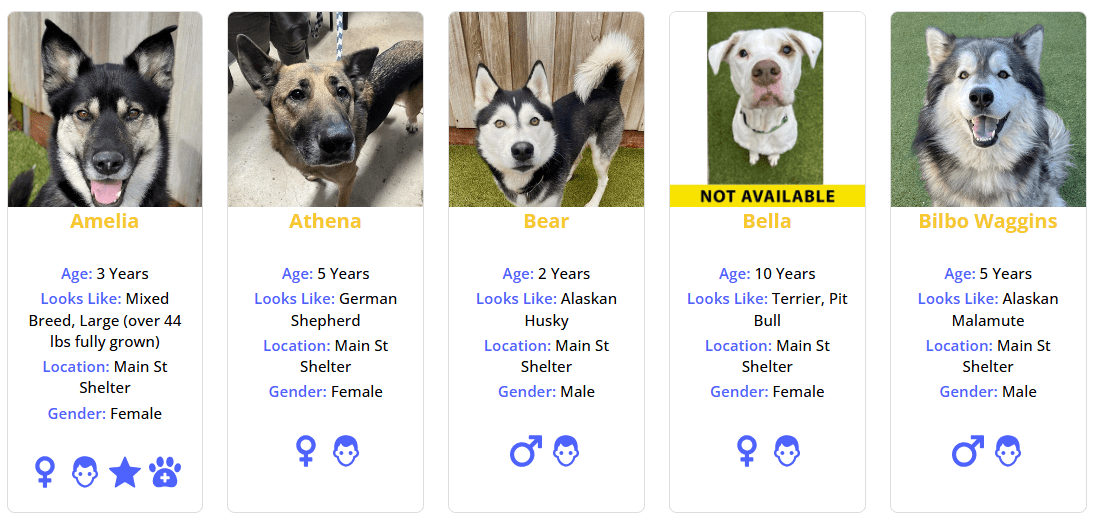
What Icons Show #
PetMatchPro includes 120+ icons organized into several categories:
| Category | Examples |
|---|---|
| Species | Dog, Cat, Bird, Rabbit, Horse, Fish, and more |
| Sex | Male, Female |
| Age | Baby, Kitten, Puppy, Juvenile, Adult, Senior, Young Adult |
| Condition | Altered (spayed/neutered), Declawed, Special Needs, Special Diet, Microchipped |
| Compatibility | OK with Cats, OK with Dogs, OK with Kids (and their “not” variants) |
| Status | Featured, On Hold, Adoption Pending, Available, Lost, Found |
| Care | House Trained, Requires Fence, Requires Yard, Foster, Unweaned |
| Fields | Breed, Weight, Size, Location, Description, Intake Date, and more |
Where Icons Appear #
Icons can appear in two places:
- Search results – Small icons on each animal card showing key traits
- Detail pages – Larger icons on the individual animal profile
Each location has its own enable/disable setting and maximum icon count.
How Icons Are Determined #
PetMatchPro uses an icon mapping system (ICON_MAP) that checks each animal’s data fields against defined conditions. For example:
- If the “Altered” field equals “Yes” → show the spayed/neutered icon
- If “OK with Kids” equals “Yes” → show the OK-with-kids icon
- If “OK with Kids” equals “No” → show the NOT-OK-with-kids icon
- If the animal has a video → show the video icon
Icons are resolved automatically based on the animal’s data – you don’t need to assign them manually.
Enabling Icons #
Via Admin Settings #
- Go to PetMatchPro > General Options.
- Find the Search Icons or Detail Icons setting.
- Set to Yes.
- Set the Max Icons value (up to 10).
- Click Apply Changes.
Via Shortcode #
[pmp-search type="adopt" icon="enable" icons="5"]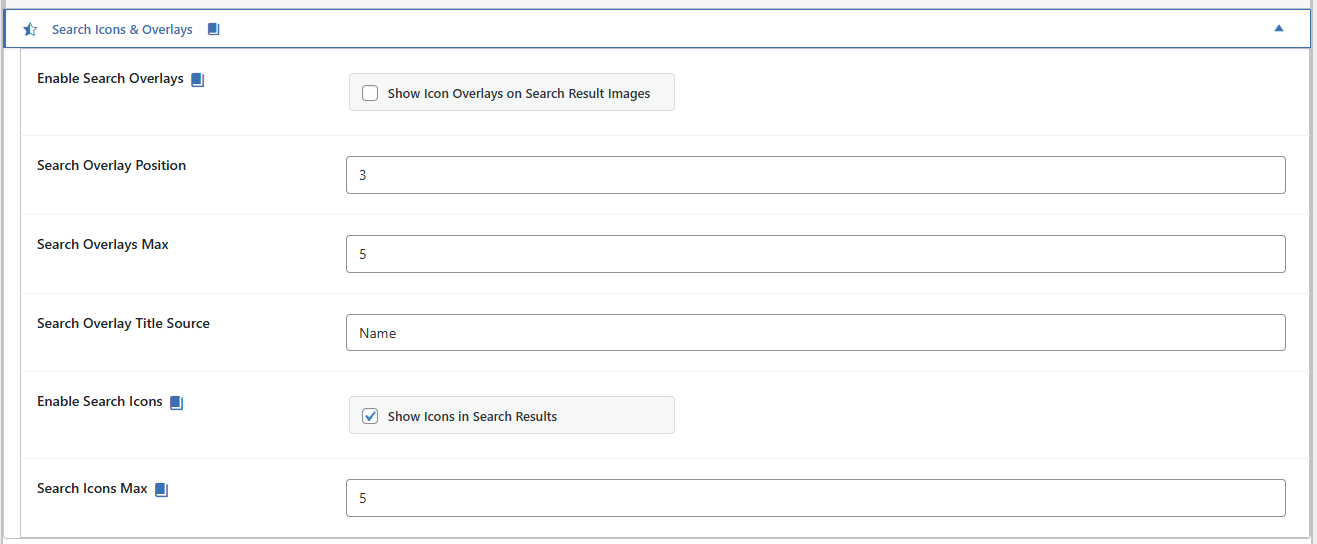
[pmp-details icon="enable" icons="5"]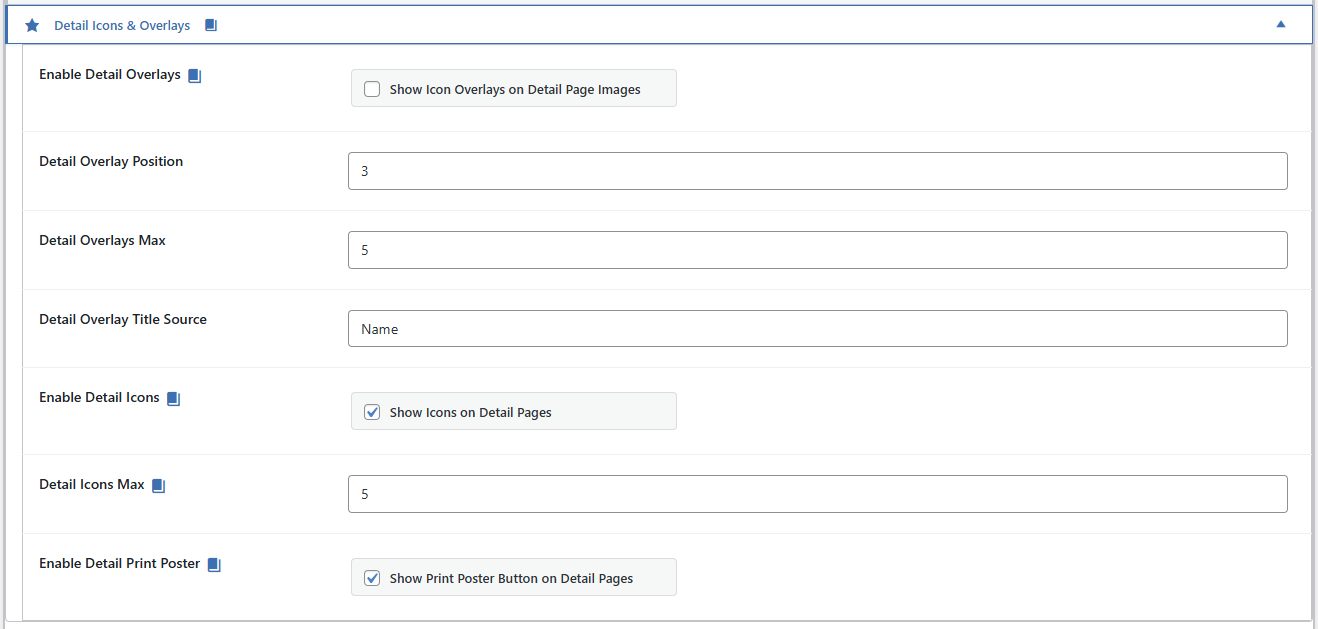
Max Icon Limits #
| Context | Default Max |
|---|---|
| Search results | 10 icons per animal |
| Detail pages | 10 icons per animal |
You can set a lower maximum using the icons shortcode parameter or the admin setting. This limits how many icons display per animal to keep the layout clean.
Icon Colors #
Icon colors are controlled through the Colors tab in your admin settings. PetMatchPro uses CSS custom properties so color changes apply to all icons automatically.
Next Steps #
- Understanding Overlays – Icons displayed on animal photos
- Icon Reference Gallery – Browse all 120+ icons
- Value-Based Icons – How icons match automatically to field values


