
Pagination Setup #
Requires Junior license or higher.
Pagination splits your search results across multiple pages, making it easier for visitors to browse large numbers of animals.
Enabling Pagination #
Via Shortcode #
Add the pagination parameter to your search shortcode:
[pmp-search type="adopt" pagination="enable"]
Via Admin Settings #
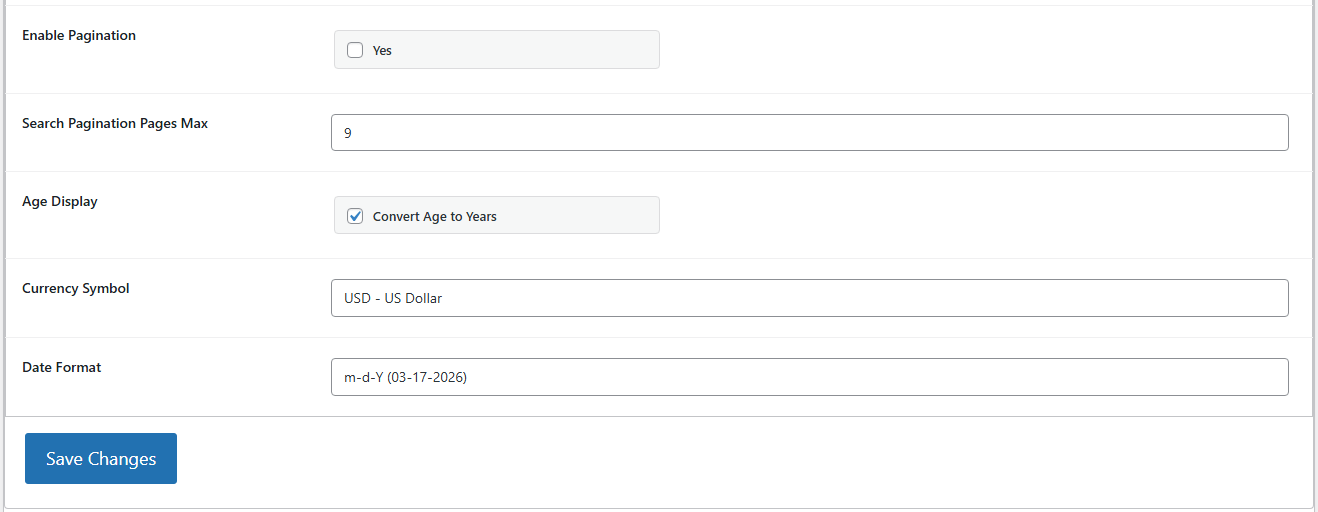
- Go to PetMatchPro > General Options.
- Find the Paginate Results setting.
- Set it to Yes.
- Click Apply Changes.
Controlling Results Per Page #
Use row and rows together to control how many animals appear on each page:
[pmp-search type="adopt" pagination="enable" row="4" rows="3"]
This displays 4 animals per row, 3 rows per page (12 animals per page).
Row Parameter #
The row parameter sets the number of animals displayed in each horizontal row. Requires Junior license or higher.
Rows Parameter #
The rows parameter sets the number of rows displayed per page. Requires Junior license or higher.
Result Count Limit #
For AnimalsFirst and RescueGroups, you can also limit the total number of results returned by the API using the Result Limit setting in General Options. Requires Junior license or higher. This setting is not available for PetPoint.
Anchor Scrolling #
When a visitor clicks a pagination link or submits a filter, PetMatchPro can scroll the page back to the search results automatically. This is controlled by the Search Submit Anchor setting in General Options, available on all tiers.
Examples #
Simple paginated search:
[pmp-search type="adopt" pagination="enable"]
Paginated with grid layout:
[pmp-search type="adopt" pagination="enable" row="3" rows="4"]
Paginated with filters:
[pmp-search type="adopt" pagination="enable" filter="enable" row="4" rows="3"]
Next Steps #
- [pmp-search] Reference — Full parameter reference
- Common Shortcode Recipes — More shortcode examples


