X
🐾 Coming from PetMatchPro 6.x? Version 8 adds real adoption analytics, similar-animal suggestions, SEO-friendly URLs, and overlay badges. See What's New →
PetMatchPro
  • Partners
    • AnimalsFirst
    • PetPoint
    • RescueGroups
  • What’s New
  • Shop
  • Demo
  • FAQ
  • Knowledge Base
  • About Us
  • Contact Us
  • My Account
  • Cart
Select Page
Green rocket icon for Getting Started documentation category

Getting Started

6
  • Activate Your License
  • Setup Wizard Walkthrough
  • Connecting Your Shelter System
  • Understanding License Tiers
  • Creating Your First Search Page
  • Creating Your First Detail Page
Blue code brackets icon for Shortcodes and Configuration documentation category

Shortcodes & Configuration

12
  • Shortcode Builder
  • [pmp-search] Reference
  • [pmp-details] Reference
  • [pmp-detail] Reference
  • [pmp-option] Reference
  • Parameters by License Tier
  • Common Shortcode Recipes
  • Pagination Setup
  • Excluding Values
  • Search Filter Button
  • Detail Button Hover Text
  • Search Card Hover Text
Purple palette icon for Templates and Design documentation category

Templates & Design

7
  • Search Templates Gallery
  • Detail Templates Gallery
  • Poster Templates
  • Theme Template Overrides
  • Color Customization
  • Font Size Customization
  • Detail Title Formats
Orange image with star icon for Icons and Overlays documentation category

Icons & Overlays

6
  • Understanding Pet Icons
  • Understanding Overlays
  • Icon Reference Gallery
  • Customizing Icon Display
  • Value-Based Icons
  • Icon Size Customization
Teal tag icon for Labels and Customization documentation category

Labels & Customization

3
  • Custom Labels Guide
  • Changing Labels via Filtering
  • Custom Currency & Date Formats
Blue funnel icon for Filters and Search documentation category

Filters & Search

5
  • Setting Up Search Filters
  • Species & Breed Filtering
  • Filter Value Management
  • Excluding Values via Filtering
  • Partner-Specific Filter Options
Violet chain link icon for Partner Integration Guides documentation category

Partner Guides

3
  • AnimalsFirst Integration Guide
  • PetPoint Integration Guide
  • RescueGroups Integration Guide
Red bar chart icon for Analytics and Tracking documentation category

Analytics & Tracking

7
  • Understanding PMP Analytics
  • GA4 Configuration
  • Google Tag Manager Setup
  • Leveraging Analytics
  • WP-Cron Requirements for PetMatchPro Analytics
  • Queue Health and Tools
  • Privacy and Data Retention
Amber wrench icon for Troubleshooting and FAQ documentation category

Troubleshooting

15
  • Common Error Messages
  • API Connection Issues
  • Template Not Found Errors
  • Theme Template Override Not Loading
  • Performance & Caching Best Practices
  • Animals Not Displaying
  • Stale Content / Cache Issues
  • Styling Conflicts
  • Empty Field Display
  • Analytics Queue Stuck or WP-Cron Not Running
  • Premium Feature Not Appearing After Upgrade
  • Troubleshoot the PetMatchPro Shortcode Builder
  • Reading PMP Debug Logs
  • wp-config.php Configuration Constants
  • How to Contact Support
Lightbulb icon representing PetMatchPro best practices guides for homepage layouts, button strategy, performance tuning, and template selection

Best Practices

10
  • Featuring Animals on Your Homepage
  • Adding Animals to Sidebars and Other Pages
  • Using Banners and Subtitles Effectively
  • Overlays and Icons for Quick Visual Cues
  • Writing Effective Detail Page Instructions
  • Button Configuration for Conversion
  • Optimizing Performance with API Caching
  • Customizing Typography and Icon Sizes
  • Lost and Found Search Best Practices
  • Template Selection Guide
View Categories
  • Home
  • Knowledge Base
  • Troubleshooting
  • How to Contact Support

How to Contact Support

3 min read

How to Contact Support #

If you’ve tried troubleshooting on your own and still need help, here’s how to reach PetMatchPro support and what to include for the fastest resolution.

Contact Methods #

Email Support #

Email wecare@petmatchpro.com with details about your issue.

In-Plugin Support Link #

If you’ve configured a support email in PetMatchPro > Contact, error messages include a direct “contact support” link that opens an email pre-filled with the error details.

What to Include in Your Support Request #

The more information you provide, the faster we can help. Please include:

1. Environment Details #

Detail Where to Find It
PetMatchPro version PetMatchPro > Tools > System Info, or the plugin list in WordPress admin
WordPress version Dashboard > Updates, or bottom of any admin page
PHP version PetMatchPro > Tools > System Info, or Tools > Site Health
Integration partner PetMatchPro > General Options
License tier PetMatchPro > License Information

2. The Problem #

  • What you expected — What should have happened
  • What actually happened — What you see instead (error message, blank page, wrong layout, etc.)
  • Steps to reproduce — How can we trigger the same issue?
  • When it started — Did this work before? What changed? (plugin update, theme change, hosting migration, etc.)

3. Screenshots #

  • A screenshot of the issue on the front end of your website
  • A screenshot of your shortcode (edit the page and show the shortcode text)
  • A screenshot of the relevant admin settings

4. Browser Console Errors (If Applicable) #

  1. Right-click on the problem page and select Inspect.
  2. Click the Console tab.
  3. Screenshot any red error messages.

5. Your URL #

If possible, include the URL of the page where the issue occurs so support can view it directly.

Built-In Diagnostic Tools #

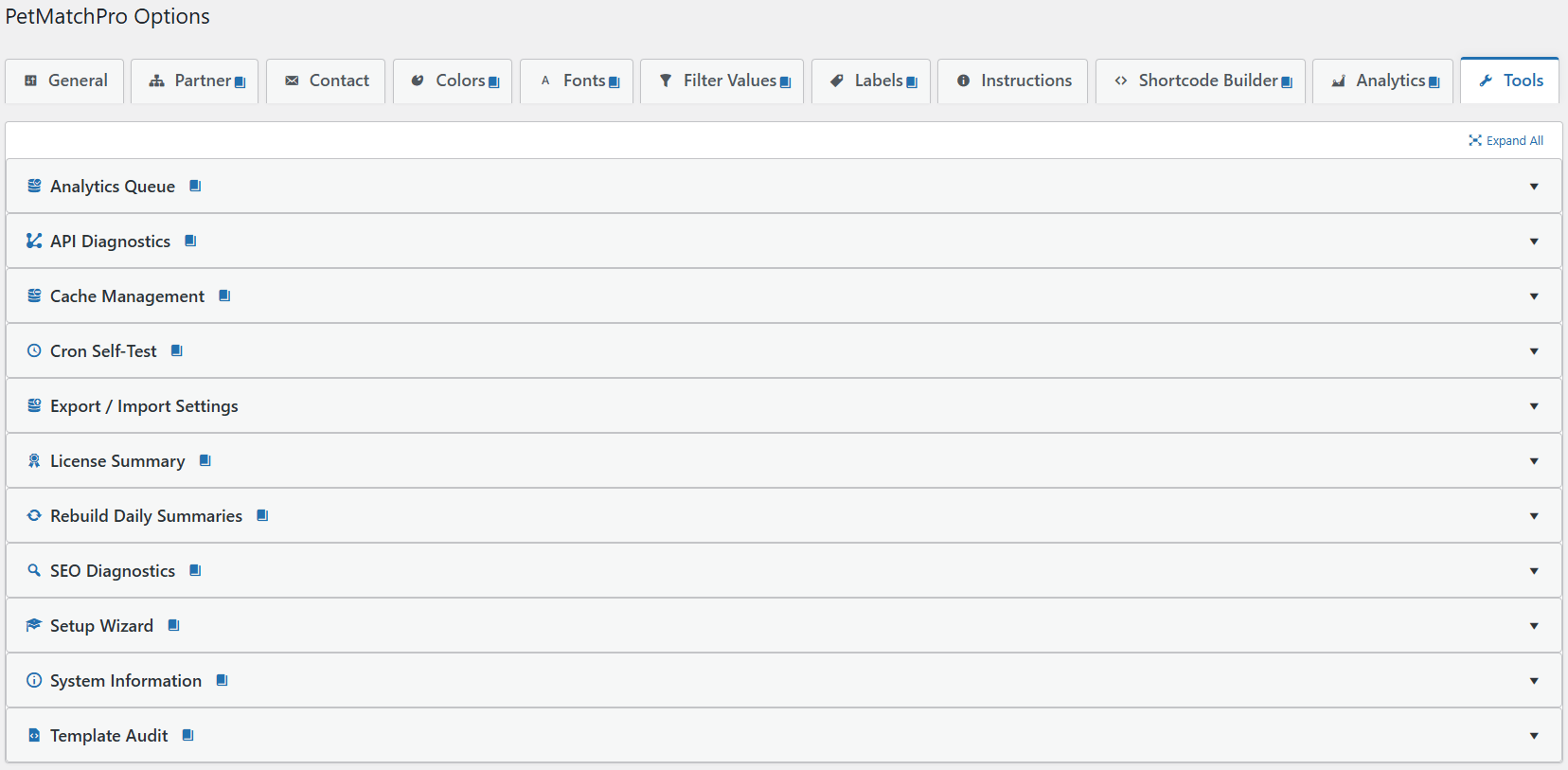
Before contacting support, check the Tools tab in PetMatchPro admin. These tools can help you identify common issues:

Tool License What It Shows
API Diagnostics All tiers Tests your API connection and shows response details
Setup Wizard All tiers Re-run the guided setup to reset configuration
System Information All tiers Your server configuration, PHP version, and WordPress environment
License Summary All tiers Your active license tier and what it unlocks
Cache Management Junior Clear PetMatchPro cached API responses, filter values, and color styles
Template Audit Junior Checks template file integrity
Export/Import Settings Junior Back up or migrate your PetMatchPro settings
SEO Diagnostics Preferred Inspect SEO output (titles, meta, structured data) on detail pages
Analytics Queue Preferred Inspect the analytics event queue depth and last flush time
Cron Self-Test Preferred Verify WP-Cron is running the analytics rollup on schedule
Rebuild Daily Summaries Preferred Force-rebuild the analytics daily summary tables

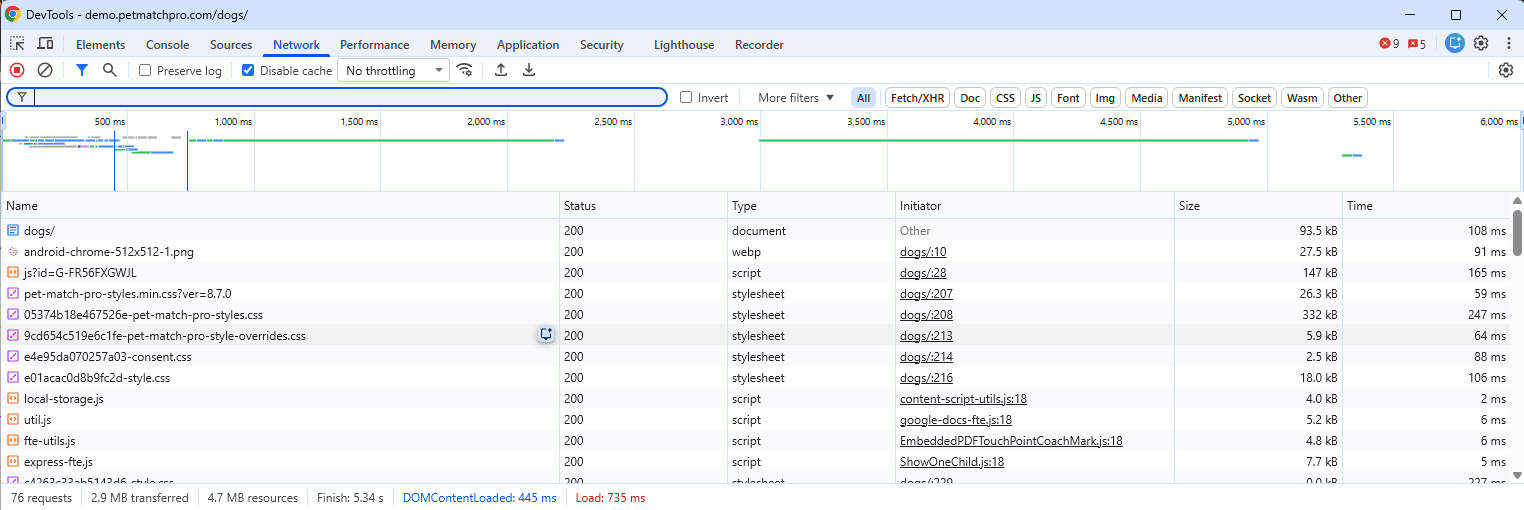
Browser DevTools Network tab on a PetMatchPro search page showing 76 requests, 2.9 MB transferred, with stylesheet, script, and image requests returning HTTP 200 status codes and a load timing waterfall

PetMatchPro Options Tools tab showing all 11 collapsed diagnostic accordions: Analytics Queue, API Diagnostics, Cache Management, Cron Self-Test, Export / Import Settings, License Summary, Rebuild Daily Summaries, SEO Diagnostics, Setup Wizard, System Information, and Template Audit

Tips for Faster Resolution #

  • Be specific — “Animals don’t show” is less helpful than “Adopt search shows ‘no results’ error but I have 50 animals in PetPoint”
  • Include the shortcode — Copy the exact shortcode from your page
  • Check the KB first — Many issues are covered in these Knowledge Base articles
  • One issue per email — If you have multiple issues, send separate emails so each can be tracked

Next Steps #

  • Common Error Messages — Understand what errors mean
  • Animals Not Displaying — Self-service debug checklist
  • Installation & Activation — Start from scratch if needed
How to Contact Support ultima modifica: 2026-03-25T19:41:46-04:00 da PetMatchPro
Updated on May 1, 2026

What are your Feelings

  • Happy
  • Normal
  • Sad

Share This Article :

  • Facebook
  • X
  • LinkedIn
  • Pinterest
wp-config.php Configuration ConstantsCommon Error Messages

Submit a Comment Cancel reply

Your email address will not be published. Required fields are marked *

Table of Contents
  • How to Contact Support
    • Contact Methods
      • Email Support
      • In-Plugin Support Link
    • What to Include in Your Support Request
      • 1. Environment Details
      • 2. The Problem
      • 3. Screenshots
      • 4. Browser Console Errors (If Applicable)
      • 5. Your URL
    • Built-In Diagnostic Tools
    • Tips for Faster Resolution
    • Next Steps

© Copyright 2018-2026 by PetMatchPro, All Rights Reserved

  • Privacy Policy
  • Terms of Use
  • Disclaimer
  • Login